
Download NoteCraftr – note-taking tool, customizable notes, template creator, productivity app, professional notes
Overview
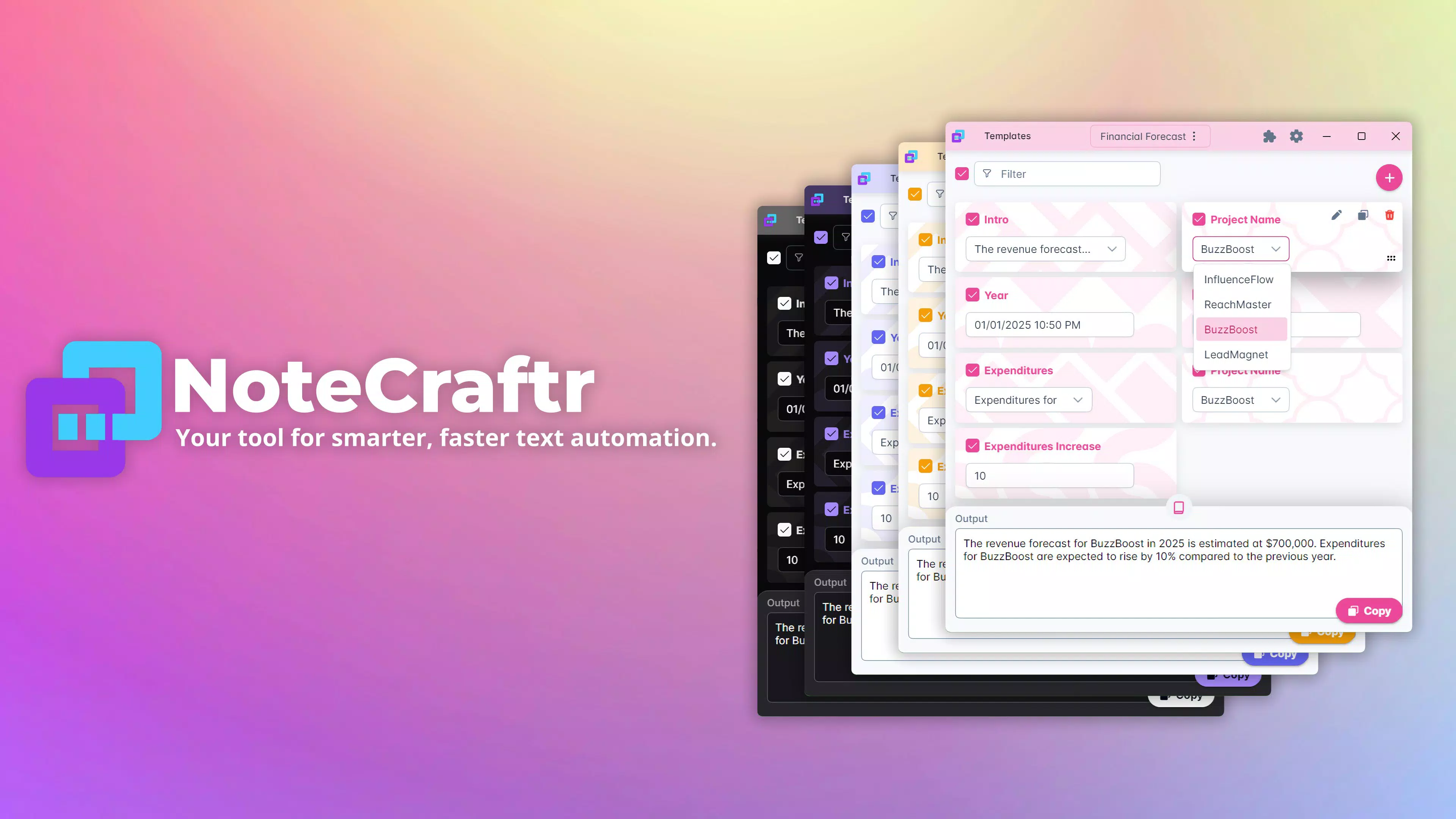
NoteCraftr is a productivity-focused mobile application designed to streamline the note-taking process for professionals across various industries. The app addresses the common challenge of creating consistent, structured, and reusable notes without repetitive manual input. By enabling users to toggle between customizable sections and select multiple values per section, NoteCraftr supports the creation of detailed, adaptable notes tailored to specific workflows. Its core functionality centers on template-based note generation, allowing users to save frequently used configurations for quick access. This is particularly valuable in fast-paced environments where efficiency and accuracy are critical.
Target users include business professionals, project managers, researchers, and administrative staff who rely on standardized documentation. The app’s design emphasizes utility over visual flair, focusing on functionality that enhances workflow consistency. Although the developer did not provide additional technical details about the team or background, the app’s purpose is clearly aligned with modern productivity demands. Real-world use cases include drafting client reports, compiling meeting summaries, or generating standardized feedback comments. In the broader app ecosystem, NoteCraftr fills a niche for users seeking a lightweight yet powerful tool that avoids the complexity of full-featured note-taking platforms while still offering customization and reusability.
Key Features & Functionality
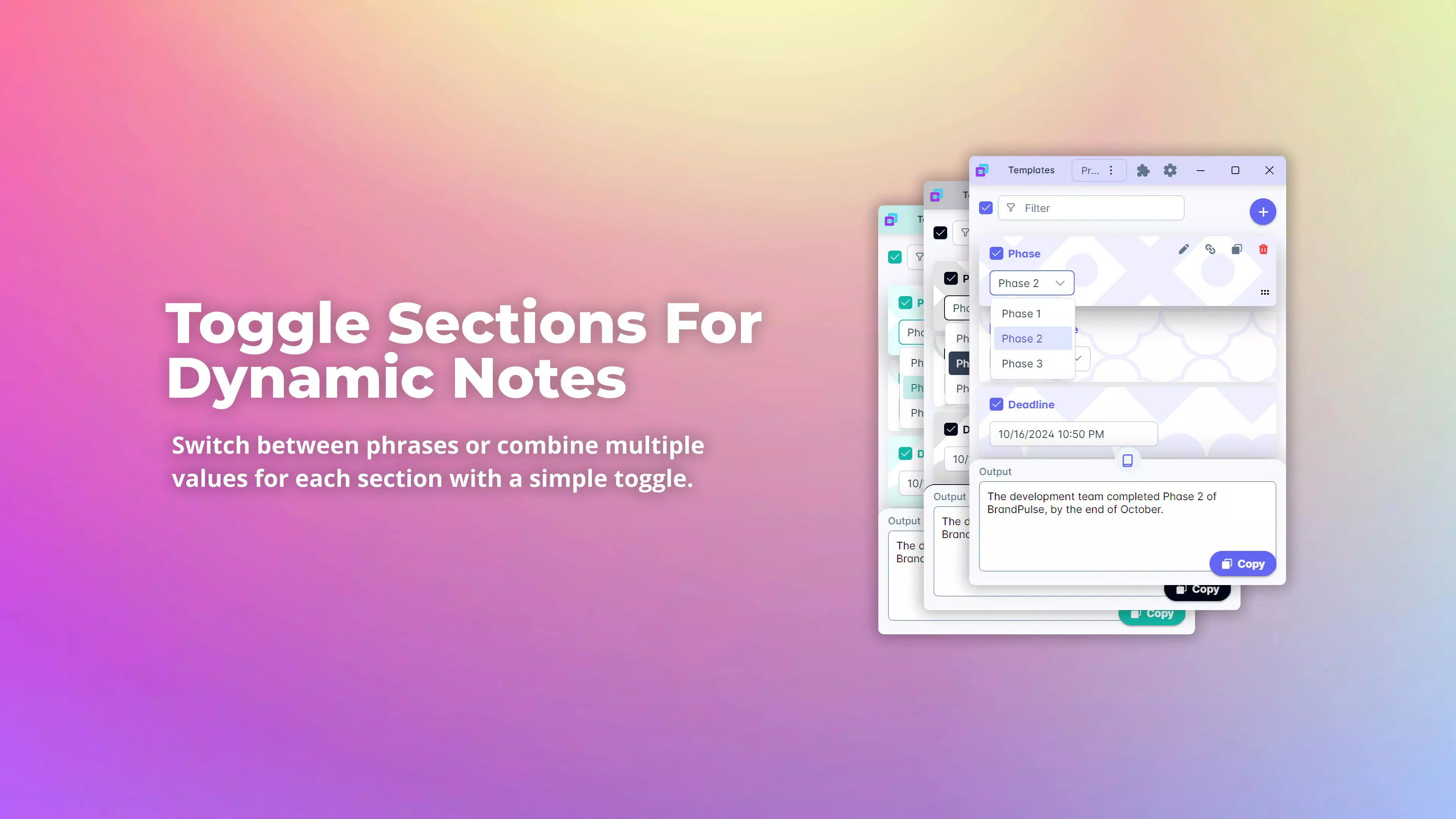
- Customizable Note Sections: Users can toggle on or off specific sections within a note, enabling dynamic content assembly. This allows professionals to include only relevant information, reducing clutter and improving focus.
- Template Creation: The ability to save and activate templates ensures that recurring note formats are preserved and easily reused, minimizing time spent on repetitive setup.
- Multi-Value Selection: Each section supports multiple value selections, allowing for layered data input—ideal for notes requiring diverse perspectives, statuses, or categories.
- Effortless Copying: Once a note is composed, users can copy the final output to the clipboard with a single action, facilitating immediate use in emails, documents, or messaging platforms.
- Professional Focus: The app is built with a clear intent to serve professionals, offering tools that prioritize speed, consistency, and precision in documentation.
For example, a project manager might create a template with sections for “Task Status,” “Dependencies,” “Owner,” and “Next Steps,” then select multiple values like “In Progress,” “Delayed,” and “Blocked” to reflect complex project states. The completed note can then be copied directly into a team update or report. This workflow reduces cognitive load and minimizes errors from manual re-entry.
Interface, UX & Performance
NoteCraftr features a clean, functional interface optimized for efficiency. The layout prioritizes accessibility, with clearly labeled sections and intuitive toggle controls. Navigation is linear and straightforward, guiding users through the process of building a note from start to finish. The visual style is minimal, focusing on usability rather than decorative elements, which aligns with its professional target audience.
Although the developer did not list formal performance metrics, the app’s lightweight size of 24.7 MB suggests a streamlined design that should operate smoothly on mid-range Android devices. Users can expect responsive interactions, with minimal lag during section toggling and value selection. Stability appears to be a priority, as the app allows seamless copying to the clipboard without data loss. The absence of reported crashes or performance issues in the provided data indicates a stable release. While detailed device compatibility information was not disclosed, the app’s size and focus on core functionality suggest broad compatibility across Android smartphones and tablets.
Platform Compatibility & Technical Requirements
NoteCraftr is available exclusively on the Android platform. The current version is 1.0.0, with a file size of 24.7 MB. The app is offered at no cost to users, making it accessible to a wide audience seeking productivity tools without financial barriers.
The developer did not specify minimum OS requirements or device compatibility details. As such, users should ensure their Android device supports the latest app installation standards. While no specific hardware requirements were listed, the app’s compact size indicates it is designed to function efficiently on a variety of Android devices, including those with limited storage or processing power.
Pros and Cons
Pros
- Lightweight and fast, with a small file size of 24.7 MB.
- Free to download and use, removing financial barriers to access.
- Intuitive interface designed for quick learning and efficient use.
- Supports reusable templates, saving time on repetitive note creation.
- Enables multi-value selection per section, increasing versatility.
- Clipboard integration allows seamless transfer of notes across platforms.
Cons
- Platform availability is limited to Android only.
- Specific OS version requirements were not disclosed.
- No information on cloud sync or cross-device access.
- Developer did not provide details on update frequency or long-term support.
- Compatibility with older Android devices remains unconfirmed.
FAQ
Is NoteCraftr safe to download and use?
Yes, the app is free and available through official Android channels. Its small size and clear functionality suggest it does not include unnecessary permissions or tracking components. Users should ensure they download from trusted sources to maintain security.
Can I use NoteCraftr on iOS devices?
Currently, the app is only available for Android. There is no information on future iOS support.
Does NoteCraftr support cloud synchronization?
The developer did not provide details about cloud sync or data backup features. All note data appears to be stored locally on the device.
How often is NoteCraftr updated?
Specific update frequency was not disclosed. Users should monitor the app store for new version releases.
Is there a limit to the number of templates I can create?
No information was provided about template limits. Users can likely create as many templates as their device storage allows.
Final Thoughts
NoteCraftr delivers a focused, efficient solution for professionals seeking to standardize and accelerate their note-taking process. Its strengths lie in customizable sections, template reuse, and seamless clipboard integration—features that directly address real-world productivity challenges. While the app lacks cross-platform availability and detailed technical disclosures, its lightweight design, free pricing, and clear functionality make it a compelling choice for Android users in need of a reliable productivity tool. For those who frequently draft structured notes, this app offers a streamlined alternative to more complex platforms. With its professional orientation and user-centric design, NoteCraftr stands out as a practical utility in the mobile productivity space.
Download NoteCraftr now


